Firmware and Configuration
Pando uses Vial firmware. Once installed, Vial (the application) is used to configure the keyboard.
Note
Pre-built keyboards from my Etsy Store arrive pre-flashed with firmware and fully PCB-tested, ready to use out of the box.
To flash the keyboard yourself, see Installing Firmware.
Getting Vial
Download Vial (the desktop application) from the official website for your platform.
Alternatively, you can use Vial Web in your browser — no download required.
Configuring with Vial
Open Vial to configure the keyboard. The Pando should connect automatically when the firmware is installed.
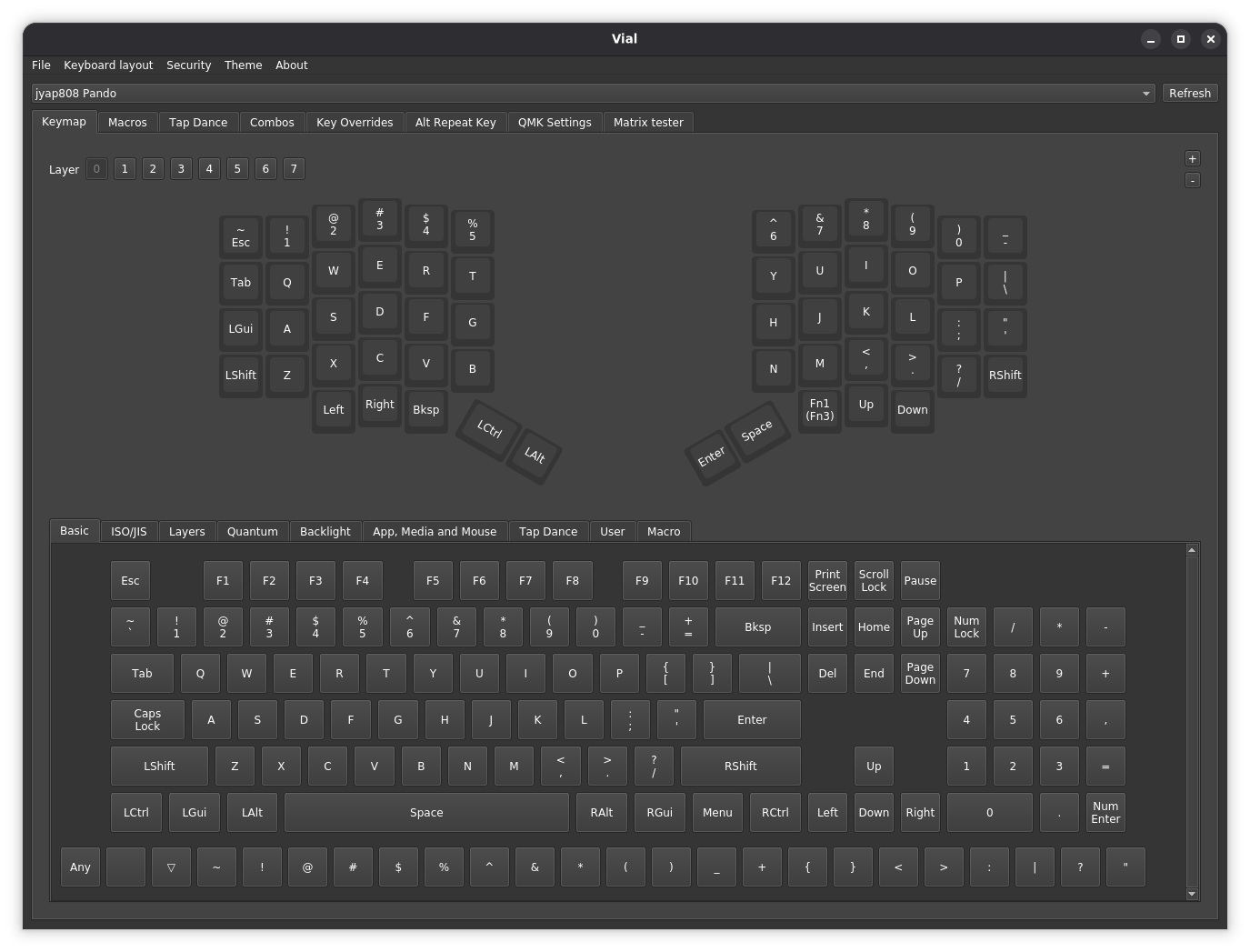
Vial allows you to remap keys, create layers, and configure macros for your Pando keyboard.